We now show how to perform LOESS regression in Excel using the LOESS Regression data analysis tool. In particular, we repeat Example 1 from LOESS Regression using Excel using this tool.
Data Analysis Tool
Real Statistics Data Analysis Tool: The Real Statistics Resource Pack provides the LOESS Regression data analysis tool.
To use this data analysis tool for Example 1 (whose data is repeated on the left side of Figure 1), press Ctrl-m and select the LOESS Regression option from the Reg tab (or from the Regression dialog box if using the original user interface) and then fill in the dialog box that appears as shown in Figure 1.
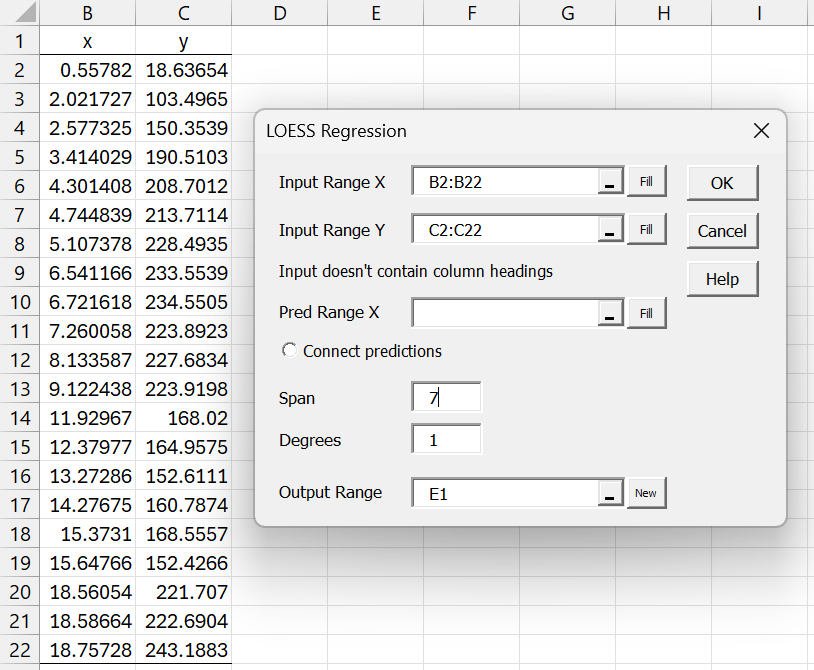
Figure 1 – LOESS Regression dialog box
Note that if the Span field is left blank, then its value defaults to INT((m+Degrees+2)/3) where m = the number of elements in Input Range X. For this example m = 21, and so Span would take the value of 8.
After clicking on the OK button, the output shown in Figure 2 is displayed.
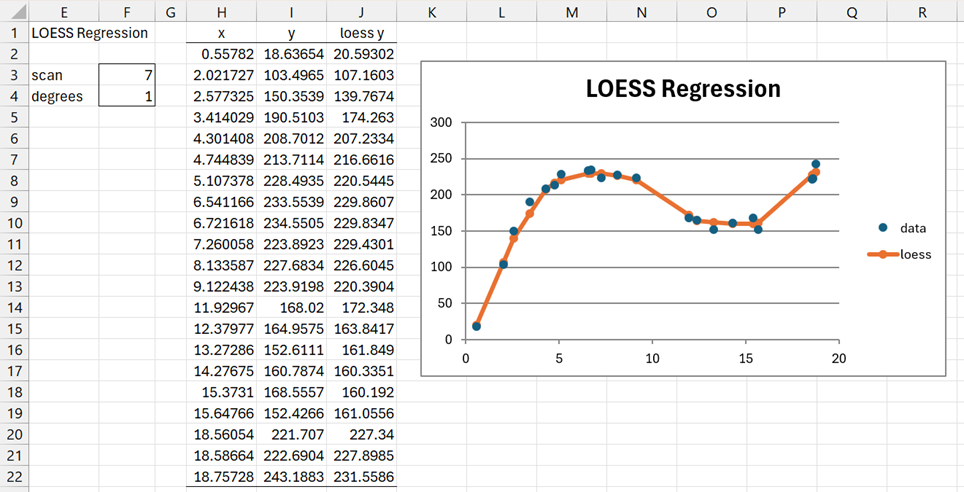
Figure 2 – LOESS Regression output
Note that you can change the values in cell F3 and the value in cell F4 from 1 to 2 and the values in column J and in the chart will change accordingly.
Predictions
As explained in LOESS Regression Basic Concepts, a LOESS Regression model can be used to predict y values for one or more x values. These x values don’t need to be part of the training data used to create the model.
We now repeat the analysis for the regression model based on the data in Figure 1 to obtain the predicted values corresponding to the x data in range E2:E23 of Figure 3.
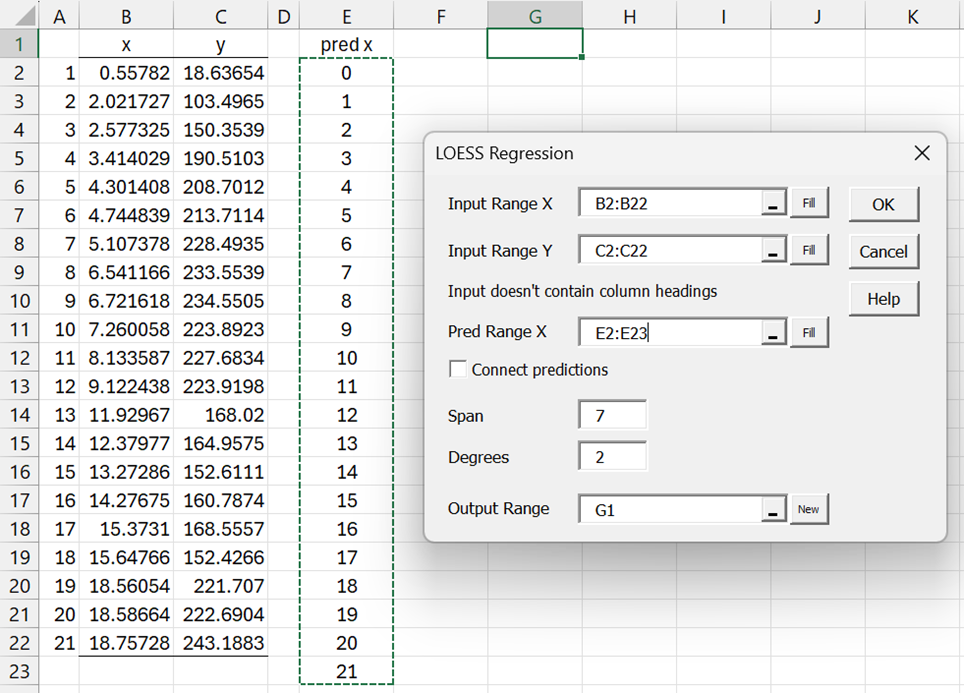
Figure 3 – LOESS Regression with predictions
We once again use the LOESS Regression data analysis tool, as described above. This time we insert E2:E23 in the Pred Range X field and choose the Degrees = 2 option. The output is shown in Figure 4.
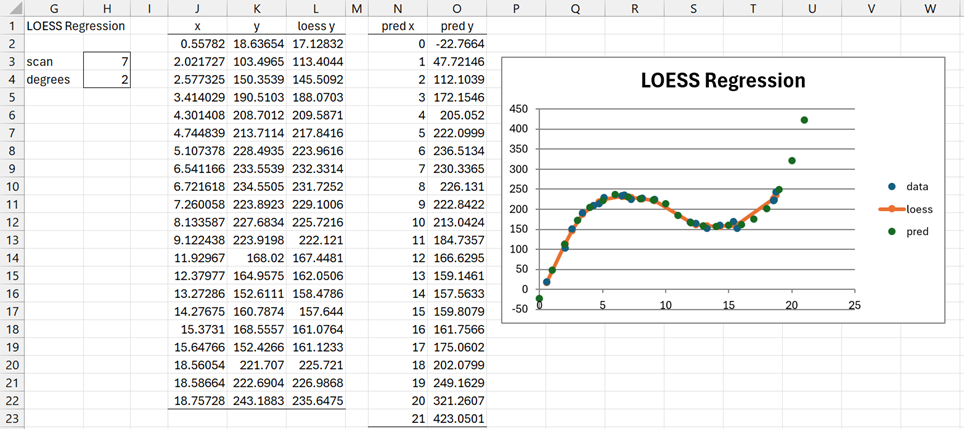
Figure 4 – LOESS Regression output with predictions
If we had checked the Connect Predictions option, then the isolated points corresponding to pred (in the Legend) would be connected on the chart.
Examples Workbook
Click here to download the Excel workbook with the examples described on this webpage.
References
NIST (2012) LOESS (aka LOWESS)
https://www.itl.nist.gov/div898/handbook/pmd/section1/pmd144.htm
Cleveland, W.S. (1979) Robust locally weighted regression and smoothing scatterplots. Journal of the American Statistical Association, Vol. 74, pp. 829-836.
https://sites.stat.washington.edu/courses/stat527/s13/readings/Cleveland_JASA_1979.pdf
NIST (2012) Example of LOESS computations
https://www.itl.nist.gov/div898/handbook/pmd/section1/dep/dep144.htm
Peltier, P. (2009) LOESS smoothing in Excel
https://peltiertech.com/loess-smoothing-in-excel/